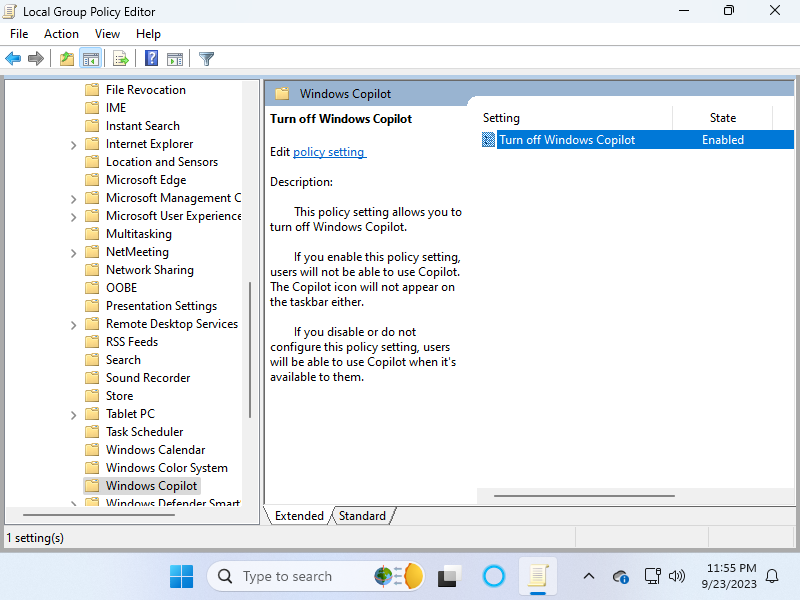
Want to FORCE DISABLE the Copilot feature in Windows 11?
It's EASY, just use the Group Policy Editor (gpedit.msc)!
Navigate User Configuration ➡️ Administrative Templates ➡️ Windows Components ➡️ Windows Copilot
Or Using Windows 11 Home?
Here's the registry editor method:
Put this in notepad, then save file with .reg extension then open it:
Windows Registry Editor Version 5.00
[HKEY_CURRENT_USER\Software\Policies\Microsoft\Windows\WindowsCopilot]
"TurnOffWindowsCopilot"=dword:00000001